

 |  |  |
Showing posts with label Styles. Show all posts
Showing posts with label Styles. Show all posts
Format table is one of the most important feature in excel

Include data bar in Excel Data to Quickly review the strength individually.
 |
| Add caption |
Complete understanding for Top & Bottom Rules in Excel

If you are a manager of Sales team you will must understand that how would Quickly track achieved target of you sales team in any specific period,
Top / Bottom Rules by Conditional formatting Excel provides the best and accurate results of sales increase & decrease , identifying top & bottom sales executives records , instant tracking highest & lowest sales , quickly awareness of above & below averages for the selected months or years.
Top / Bottom rules Step by Step :
 |
| Top 10 & Top10% in Top/Bottom Rules in Excel Conditional Formatting |
Top 10 Items : Identifying top figures as by your request.( maybe more/less then 10 )
Top 10% Items: Identifying top figures in percentage as by your request.( maybe more/less then 10% )
 |
| Top 10 & Top10% in Top/Bottom Rules in Excel Conditional Formatting |
Bottom 10 Items : identifying from bottom lower values it may be more / less by 10.
Bottom 10% Items : Track lower percentages in selected range it maybe more/less 10%.
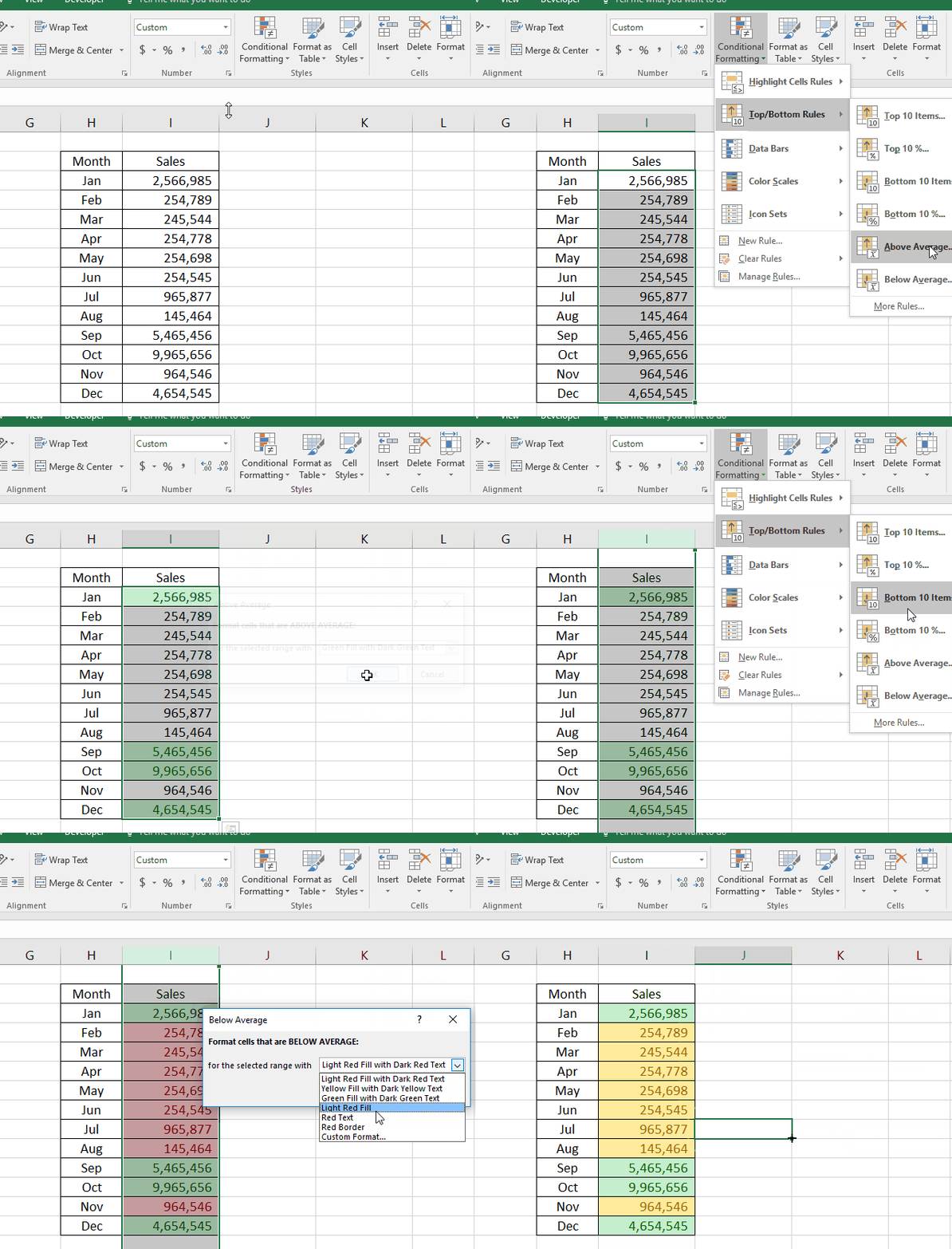 |
| Above & Below Averages : Top/Bottom Rules in Excel Conditional Formatting |
Above & Below Average : this highlighted , what values are above and below averages between the selected cells.
higlighting cells to figure out data movement !
 |
| Highlight Cells Rules in Conditional Formatting Excel 2016 |
Conditional formatting is apply to spot trends and pattern in data by using beautiful bars , colors , Icon that are visually indicating the important factors.
Subscribe to:
Posts (Atom)